
Rocket Play App — Install and Use RocketPlay Casino on Any Device in Australia
Providers


Promo
Top
New
Promotions

Refund Bonus
Up to 15% Weekly Refund

Welcome Bonus on Your First Deposit
Get a 200% Bonus up to 200 AUD
Total AUD Jackpot
5,184,306.87 AUD
- Promo
609,240.942 AUD
The Handsome Bandit
- Top
90,470.20 AUD
Mighty Wild Panther
- Promo
2,102,736.50 AUD
Winter Thunder
- New
2,351,657.93 AUD
Black Bullion
- Promo
30,201.30 AUD
Roman Spins
Tournaments

Gaming Tournament
Terror on Rocket Street
Prize Pool of 4,000 EUR and 10,000 Free Spins

Competition Event
Continuous Payouts
Total Prize Pool of 500,000 AUD
RocketPlay Casino runs as a PWA — a Progressive Web App — which means the Rocket Play app lives in your mobile browser rather than an app store. No waiting for approval, no download size limits, no update prompts. You tap a single button in Safari or Chrome, add the shortcut to your home screen, and you’re in.
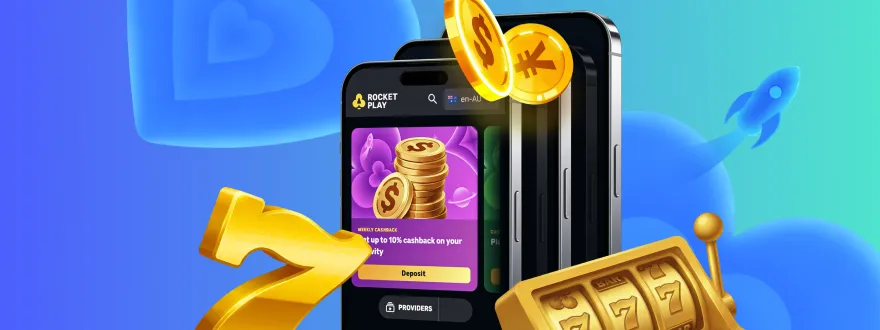
We launched RocketPlay Casino in 2021 under a Curaçao licence, and our mobile setup has always reflected one priority: get you playing with as few steps as possible. Everything available on the full site — 9,000+ games, the cashier, your bonus balance — loads through the same shortcut you pinned to your home screen.
What Is the RocketPlay App and How Does It Work
The app is not a traditional APK file you sideload onto your phone. It works through your browser using PWA technology, which lets the site behave like a native application without requiring an installation from Google Play or the App Store.
When you add RocketPlay to your home screen, the browser saves a web shortcut that opens the casino in full-screen mode with no browser toolbar. From that point, it feels and functions like any other app on your device. Push notifications, fast loading, and an adaptive interface come included — no extra configuration needed.
| Feature | Detail |
|---|---|
| App type | PWA (Progressive Web App) |
| iOS installation | Safari → Share → Add to Home Screen |
| Android installation | Chrome → Menu → Add to Home Screen |
| APK file required | No |
| Storage space used | Minimal — no large download file |
| Internet connection | Required; works on slower connections |
We’ve kept the installation process under two minutes for most devices. The guide below walks through each step.
How to Install the Rocket Play Casino App Download on Android
The Rocket Play Casino app download on Android takes one or two steps in Chrome. Open the RocketPlay Casino site in Chrome, tap the three-dot menu in the top-right corner, and select “Add to Home Screen.” Confirm the name and tap Add.
Once added, the shortcut appears on your home screen alongside your other apps. Opening it launches the casino in full-screen mode without the Chrome address bar. Your account, games, and cashier are all available immediately.
Some Android browsers prompt you automatically with a banner at the bottom of the screen. If you see “Add RocketPlay to Home Screen” appear on its own, tap it — the result is the same. A full step-by-step Rocket Play Casino app download guide covers each Android version with screenshots, including devices running older Chrome builds.
RocketPlay Casino Download for Android — Do You Need an APK?
No. RocketPlay Casino download for Android does not require an APK file. The PWA installs directly from the browser without sideloading, without adjusting your Android security settings, and without enabling “install from unknown sources.”
If you see a third-party site offering a RocketPlay Casino download apk — that file does not come from us. We do not distribute APK files. Any file offered that way has not been verified by RocketPlay, and installing it carries real security risk. The only way to install our app is through the browser method described above.
For players who want RocketPlay Casino app download for Android confirmed step by step, the process is:
- Open Chrome on your Android device
- Go to the RocketPlay Casino site
- Tap the menu icon (three dots, top right)
- Select “Add to Home Screen”
- Tap “Add” to confirm
That’s the complete install. No APK, no permissions dialog for unknown sources, no file to manage.
How to Install the App on iPhone and iPad
On iOS, Safari handles the installation. Open RocketPlay Casino in Safari — not Chrome, not Firefox. Tap the Share icon at the bottom of the screen (the box with an arrow pointing up). Scroll through the share sheet and tap “Add to Home Screen.” Give it a name if you want, then tap Add in the top-right corner.
The shortcut appears on your home screen. Every time you open it, the casino loads in full-screen mode without the Safari navigation bar. Your session stays active between opens, so you won’t need to log in repeatedly on the same device.
iOS users sometimes miss the Share icon if they’re using a third-party browser. Safari is the correct browser for this process on iPhone and iPad — other browsers on iOS don’t support the “Add to Home Screen” shortcut in the same way.
What You Get Once the App Is Running
After installation, the RocketPlay app gives you full access to everything on our platform — not a stripped-down mobile version. Our game library of 9,000+ titles loads through the same interface, including pokies, live casino tables, jackpot games, crash games, and Bonus Buy slots.
The integrated cashier lets you deposit and withdraw without leaving the app. Fiat deposits start from AUD 35, and we accept Visa, Mastercard, Apple Pay, MiFinity, and Skrill. Crypto deposits — Bitcoin, Ethereum, Litecoin, Dogecoin, USDT, and others — process instantly with no fees on our end.
Push notifications keep you across active promotions and bonus updates. You can turn these on or off through your device’s notification settings at any time. For players who like to explore the full game catalogue on mobile, Rocket Play Casino slots download covers how the pokies section is organised and which titles load best on smaller screens.
Logging In Through the App
Logging in works exactly as it does on the desktop site. Open the app shortcut, tap Log In, enter your email and password. If you’ve saved your credentials in Safari or Chrome’s password manager, they autofill.
New to RocketPlay? Registration takes three short steps. First, you enter your email, password, country (AU), and currency (AUD). Second, you add your full name, Australian phone number (+61), and date of birth. Third, you confirm your address details including state and postcode.
Rocket Play app account login covers saved credentials, two-factor authentication options, and what to do if you’re locked out.
Device and Browser Requirements
The RocketPlay app works on most phones and tablets sold in the last five years. There are no strict operating system version requirements published — but the app runs reliably on iOS 13 and above, and on Android 8 and above, based on standard PWA support in those environments.
Key things that affect performance:
- Browser version: use an up-to-date version of Safari (iOS) or Chrome (Android)
- Internet connection: a 4G or Wi-Fi connection loads games without delay; 3G works but may be slower for live tables
- Storage: because there’s no APK, available storage doesn’t affect installation
The app uses low memory compared to native casino apps, which matters if you’re on a mid-range device. Live dealer games from providers like Evolution Gaming and Pragmatic Play Live stream clearly on a standard 4G connection.
Rocket Play app device support lists specific tested devices and minimum browser versions for AU users.
Bonuses Available Through the App
Playing through the RocketPlay app ensures you have full access to our complete range of promotions. Every bonus available on our desktop site is supported within the mobile interface, so you can claim rewards and boost your gameplay wherever you are.
| Bonus Type | Min. Deposit | Reward | Notes |
|---|---|---|---|
| First Deposit | AUD 30 | 100% up to AUD 1,000 + 100 FS (Aztec Magic) | x40 wagering, AUD 5,000 max win |
| Second Deposit | AUD 75 | 100% up to AUD 1,000 | x40 wagering, AUD 5,000 max win |
| Friday Free Spins | AUD 30 / 75 / 150 | 20 / 50 / 100 Free Spins | – |
| Sunday Reload | – | 50% match up to AUD 300 | For players with 2+ deposits |
All of these bonuses are easily claimable directly through the app cashier. Be sure to check the specific promotional terms, such as validity periods and wagering requirements, to get the most out of your RocketPlay experience.
When the App Is Not Working
If the shortcut opens to a blank screen or the login page won’t load, the most common fix is clearing your browser cache. On Safari: Settings → Safari → Clear History and Website Data. On Chrome: Settings → Privacy → Clear Browsing Data.
If that doesn’t resolve it, check whether your browser is up to date. PWA functionality depends on browser support, and older versions occasionally drop compatibility with specific features.
Other things worth checking:
- Confirm your internet connection is active
- Try reopening the shortcut after a full device restart
- Delete the home screen shortcut and re-add it from the browser
The RocketPlay app troubleshooting guide covers connection errors, black screen issues, and login failures specific to AU users on iOS and Android.
The Rocket Play App — What Aussie Players Actually Use It For
The most common use case we see from AU players is live casino on the go. Our live section runs through 20 providers including Evolution Gaming, Pragmatic Play Live, and Ezugi. Three tables are exclusive to RocketPlay: Rocketplay Auto Roulette, Rocketplay Royal Roulette, and Blackjack 8. These load through the app exactly as they do on desktop.
Pokies are the second biggest category. The app handles Megaways titles, Book games, Hold & Win slots, and Bonus Buy games without issue. If you want to skip base gameplay and jump straight to the feature round, Bonus Buy games have their own dedicated category — you won’t need to scroll through the full library to find them.
The RocketPlay download takes under two minutes to set up. From the moment you add the shortcut to your home screen, you have a full casino on your device — cashier included, bonuses included, live tables included.
FAQ
Does the Rocket Play app download require an APK file?
No. The app installs directly from your browser as a PWA — no APK file is needed. Open the RocketPlay Casino site in Chrome (Android) or Safari (iOS), tap “Add to Home Screen,” and the shortcut is ready in under a minute.
Is the RocketPlay Casino download available for free?
Yes. Installing the app costs nothing. You open the site in your mobile browser, add the shortcut to your home screen, and the app is ready to use. No fees apply to the installation process itself.
Can I access my bonus balance through the app?
Yes. Your full account balance, active bonuses, and free spins are all accessible through the app. The cashier and bonus section work identically to the desktop version — no features are restricted on mobile.
What payment methods work through the RocketPlay app?
All standard payment methods are available in the app. We accept Visa, Mastercard, Apple Pay, Skrill, Neteller, MiFinity, Bank Transfer, and six cryptocurrencies including Bitcoin and Ethereum. Crypto deposits process instantly with no fees.
How do I log out of the app on my device?
Tap the account menu within the app and select Log Out. Your session ends immediately. The home screen shortcut remains on your device — you’ll need to log back in the next time you open it unless your browser has autofill enabled.
What should I do if the app won't open after installation?
Clear your browser cache first — that resolves most blank screen issues. If the problem continues, delete the home screen shortcut, update your browser to the latest version, and re-add the shortcut from the RocketPlay Casino site. Contact our 24/7 live chat support if the issue persists.
